Resources that help you workbetter in Flowlytics
Explore practical guides, workflow explainers, and support content designed to help you get more value from Flowlytics. Whether you are setting up a project, running research, reviewing evidence, or troubleshooting a weak output, this space gives you clear next steps without needing to sign in first.
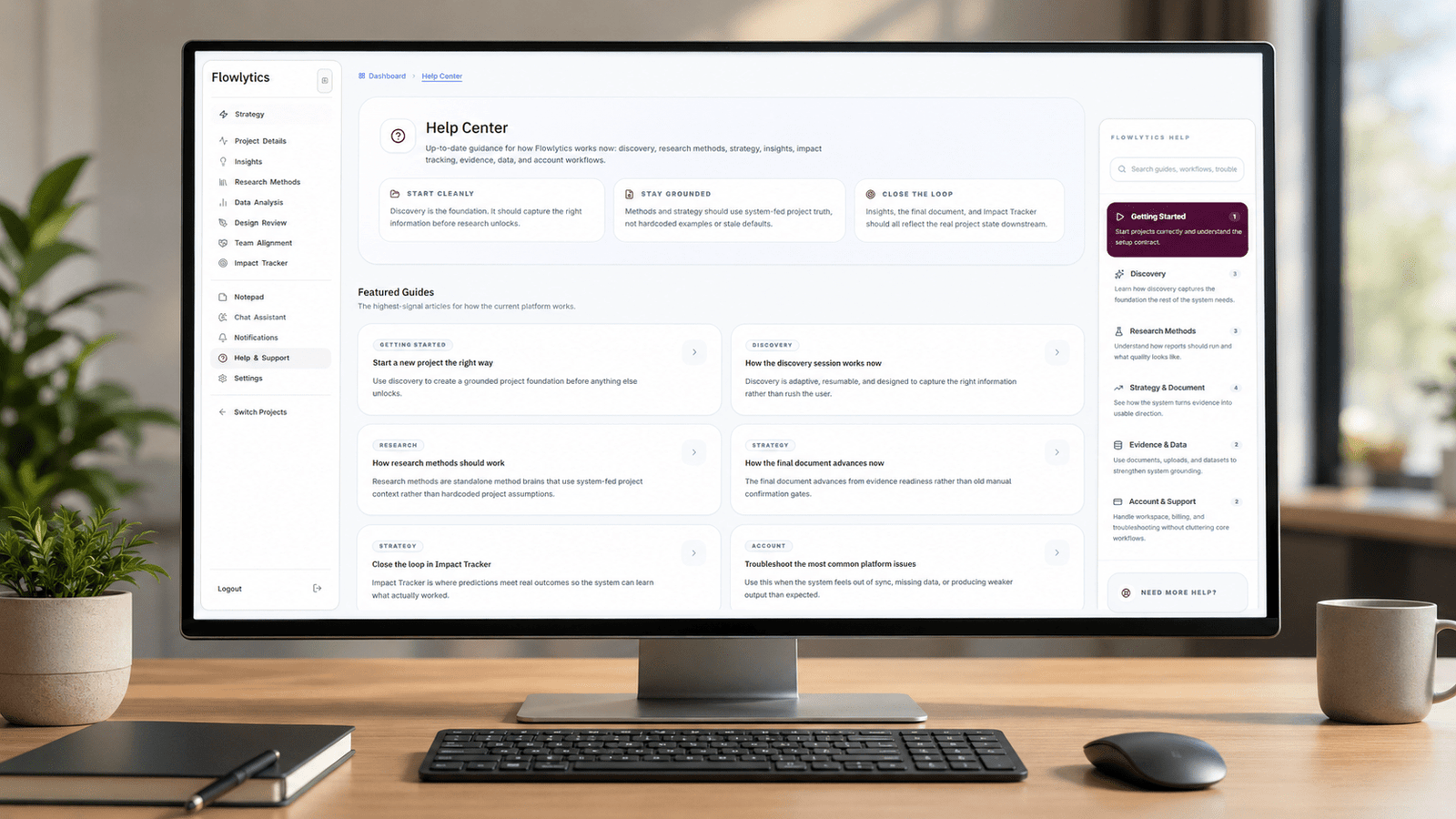
Start with the guides people need most
These are the best entry points if you are new to Flowlytics, fixing weak outputs, or trying to understand how the platform should work before you go deeper.
Start a new project the right way
Learn how to begin with a stronger foundation so discovery, research, and strategy all start with the right context.
How the discovery session works now
See how Flowlytics adapts its questions, builds project context, and knows when a workspace is ready to move forward.
Run a method and judge the result properly
Understand what a strong output looks like, what to review, and when a method needs better evidence or a rerun.
Getting started with Flowlytics
If you are new to the platform, these guides will help you set up properly, understand how discovery works, and avoid weak project foundations from the start.

Build the foundation first
The strongest Flowlytics work starts with grounded setup, clear discovery, and the right source material before you move into research and strategy.
- Start with the right project structure
- Use discovery to create real context
- Bring documents in early when they help
Start a new project the right way
Learn how to set up a project properly so every workflow that follows has the context it needs.
How the discovery session works now
See how Flowlytics adapts questions, builds understanding, and decides when a project is ready to move forward.
Pause and resume discovery safely
Understand how incomplete projects stay protected while teams pause, return, and continue without losing quality.
Use documents during discovery
Bring briefs, notes, decks, and transcripts into the setup process so the AI can work from stronger source material.
Core workflows in Flowlytics
Once a project is set up properly, these are the guides that help people understand how Flowlytics should behave day to day. They cover the logic behind methods, reports, evidence, strategic outputs, and the workflow steps that turn project context into more useful decisions.
How the problem statement is created and used
See how Flowlytics turns project setup and evidence into a grounded problem statement that supports strategy, keeps downstream work aligned, and gives the rest of the platform a clearer anchor to work from.
How research methods should work
Understand what a strong research method should actually do, what it should own, what it should not assume, and how Flowlytics should keep method quality tied to real project context instead of generic filler.
Run a method and judge the result properly
Learn how to evaluate a completed method properly by checking whether the output is actually grounded, specific, and useful rather than treating completion alone as a sign that the work is good enough.
How the final document advances now
Understand how the final document should move forward based on grounded readiness, how sections unlock, and how stronger research and evidence should shape what appears in the final strategic output.
Use Insights, Solutions, Hypotheses, and Gaps correctly
See how Flowlytics should turn analysis into clearer strategic thinking, helping teams understand what matters now, what to do next, what still needs proving, and where the current evidence is still too thin.
Close the loop in Impact Tracker
Learn how Impact Tracker should compare predicted outcomes with real outcomes so teams can review what actually happened, record stronger learnings, and improve the quality of future product decisions over time.
Evidence, analysis, and workspace support
These guides help people use the supporting parts of Flowlytics properly, from strengthening work with evidence and reviewing data to checking design decisions and understanding workspace access, billing, and account limits.
Use the evidence layer properly
Learn how documents, uploads, reports, and supporting material should strengthen project understanding across Flowlytics instead of becoming disconnected files that never improve research, strategy, or downstream decisions.
What Data Analysis is meant to do
Understand how Flowlytics should turn uploaded datasets into clearer analysis blocks, useful metrics, and stronger signals that can support later thinking rather than just sitting in the platform as passive files.
What Design Review is for
See how Design Review should be used to assess screens, flows, and interface decisions against real project context so design feedback stays tied to the actual user and product problems already uncovered.
Workspace, billing, and limits
Find the guidance around where billing, workspace access, plan limits, and account controls should live so product work stays focused while admin and access questions still have a clear place to be managed.
Need to contact Flowlytics?
Use the right inbox so your message goes to the right place.
For general questions
Use this for anything that does not fit the other contact options.
Product help
For account issues, platform questions, or help using Flowlytics.
Payments and invoices
For invoices, subscriptions, payments, and billing questions.
Product feedback
For suggestions, research ideas, and product improvement feedback.
Data and privacy
For privacy, GDPR, data access, or deletion requests.
Security concerns
For security issues, vulnerabilities, or responsible disclosure.
Plans and commercial questions
For product, plan, pricing, or commercial enquiries.
Contact Paul James
For direct founder or professional contact.